How Core Web Vitals Impact Conversions
Published • 9 min read
By Clunky AI editors
Practical website readiness guidance for founders using AI builders. We do not invent customer results, scan data or proof.
About the editors
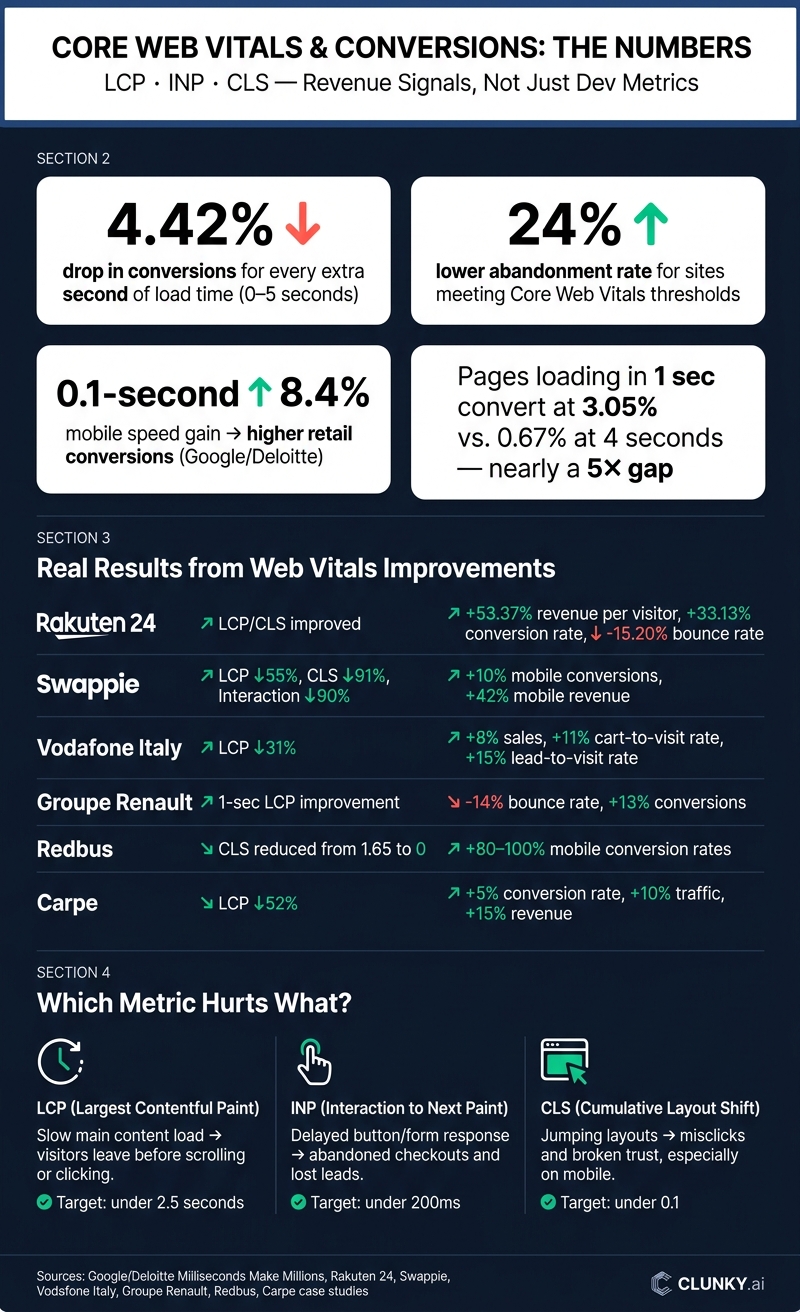
If your site feels slow, slow clicks and moving layouts can cut sales. In the data covered here, conversion rates drop by 4.42% for each extra second of load time from 0 to 5 seconds, and sites that hit Google’s Core Web Vitals targets see a 24% lower abandonment rate.
Here’s the short version: I’d treat LCP, INP, and CLS as money metrics, not just dev metrics. They affect whether people stay, click, fill out forms, add to cart, and finish checkout. In the examples here, brands that improved these metrics saw gains in conversion rate, revenue per visitor, and sometimes average order value too.
What this article shows:
- LCP tells me if the main content appears fast enough to keep people on the page
- INP shows whether buttons, forms, and taps respond without delay
- CLS shows whether the page stays still or shifts at the wrong time
- Poor scores often lead to abandonment, misclicks, and checkout drop-off
- Fixes like smaller hero images, less JavaScript, and reserved space for media can help sales pages perform better
- The best place to start is with checkout pages, product pages, lead forms, pricing pages, and top landing pages
A few numbers stand out right away:
- A 0.1-second mobile speed gain led to 8.4% higher retail conversions in one Google/Deloitte study
- Pages loading in 1 second converted at about 3.05%, vs. 0.67% at 4 seconds
- Rakuten 24 reported 53.37% higher revenue per visitor and 33.13% higher conversion rate after improving these page experience metrics
Bottom line: if I want more revenue from the same traffic, Core Web Vitals are one of the first places I’d check.
Core Web Vitals & Conversion Rate Impact: Key Stats
What the research says about Core Web Vitals and sales
Studies linking faster pages to higher conversion rates
The data lines up with what people feel when they use a site. A joint Google and Deloitte study, Milliseconds Make Millions, found that a 0.1-second improvement in mobile load speed increased retail conversions by 8.4% and travel conversions by 10.1%.
For a U.S. ecommerce store with 100,000 monthly visitors, a 2.0% baseline conversion rate, and a $60 average order value, that kind of lift could mean about $9,600 in extra monthly revenue. That’s not a small bump. It’s the kind of gain that can come from shaving off a fraction of a second.
Bigger datasets point in the same direction. An analysis of more than 27,000 landing pages found that pages loading in 1 second converted at about 3.05%, while pages loading in 4 seconds converted at just 0.67%. That’s almost a 5× gap in conversion performance. The best conversion rates tend to sit in the 1–2 second range, then fall once load times move past that point.
Case studies tied to Web Vitals improvements
When page performance gets better, friction tends to drop. And when friction drops, sales often follow.
Groupe Renault found that each 1-second improvement in LCP cut bounce rates by up to 14 percentage points and increased conversions by 13%. Vodafone Italy improved LCP by 31% and saw 8% more sales, an 11% higher cart-to-visit rate, and a 15% higher lead-to-visit rate. In plain English: they improved sales without needing a full redesign.
Swappie, a used electronics marketplace, improved LCP by 55%, CLS by 91%, and interaction responsiveness by 90%. That led to a 10% higher mobile conversion rate and 42% higher mobile revenue. That result matters because it shows how gains can stack up when a site gets faster, more stable, and easier to use at the same time.
Across retail, travel, and marketplace sites, the pattern is hard to miss: faster pages and steadier interactions lead to more conversions and more revenue. The gains start with the metrics most closely tied to sales. The next section breaks down which Web Vitals issues hurt conversions the most.
sbb-itb-641714f
Core Web Vitals problems that cost you conversions
Slow LCP: pages that feel too slow to load
A lot of these gains start with the most obvious problem: slow LCP.
When LCP is slow, the main part of the page shows up late. People don’t wait around. If the main content takes more than 2.5 seconds to appear, many visitors leave before they scroll, click, or do much of anything.
The usual causes are pretty familiar: uncompressed hero images, slow server response times, and CSS or JavaScript files that block rendering. On product pages, this delay hits at the worst possible moment - right when someone is close to buying. Product pages with LCP around 4–5 seconds can see 40–50% lower conversion rates than pages that show their main content in about 2 seconds.
Carpe is a good example. The skincare brand improved LCP by 52% and saw a 5% increase in conversion rate, a 10% increase in traffic, and about a 15% total revenue lift.
Once the page appears, another problem tends to show up: interaction lag.
Poor INP and high TBT: delayed clicks and form friction
Poor INP and high TBT make a site feel broken after it loads.
This often happens when JavaScript and third-party scripts take too long to run. If the main thread gets clogged by large JavaScript bundles or third-party code, buttons lag, inputs stall, and forms stop feeling dependable.
That’s a big problem in checkout flows. Frozen buttons and slow form validation can push people to abandon the process, even when they already intend to buy. If a user clicks Submit and nothing seems to happen, that lead can disappear fast.
And even if the page responds, there’s still one more way to lose the sale: unstable layouts.
High CLS: layout shifts that break user confidence
High CLS makes page elements jump around without warning. That chips away at trust and leads to misclicks, especially on mobile where even small shifts can throw people off.
The usual causes include:
- Images loaded without fixed dimensions
- Promo banners that appear late
- Checkout elements that move as shipping costs or tax estimates load
The effect can be huge. Redbus reduced CLS from 1.65 to 0 and reported 80–100% higher mobile conversion rates. Rakuten 24 found that users who saw low CLS, compared with high CLS, had a 53.37% increase in revenue per visitor, a 33.13% increase in conversion rate, and a 15.20% decrease in bounce rate.
That’s the gap between a page that feels steady and one that makes people second-guess the click.
The fixes that matter most are simple in theory: faster hero content, lighter scripts, and stable layouts.
How to improve Core Web Vitals in ways that support revenue
Where to start: fixes for LCP, INP, and CLS
For LCP, begin with the images people see first, especially hero images and product shots. Compress them hard when you can. A 40% to 70% file size cut is a good target if the image still looks sharp. Then serve responsive formats like WebP or AVIF at the right dimensions so mobile visitors aren't stuck downloading giant files they don't need. It also helps to inline critical CSS for above-the-fold content and load the rest asynchronously. And if your audience is in the U.S., a CDN with U.S. edge locations can cut Time to First Byte and help improve LCP. Faster first content keeps people on the page.
For INP, look closely at third-party scripts. Chat widgets, heatmaps, and A/B testing tools are common trouble spots, so defer anything that doesn't need to fire at page load. From there, trim unused JavaScript, split large bundles, and break long tasks into smaller chunks. That can make clicks, taps, and form fills feel much faster, especially on checkout pages and lead forms. Faster feedback often means fewer abandoned checkouts.
For CLS, make sure images, video, ads, and embeds have space reserved before they load. Use explicit width and height attributes or aspect-ratio settings. Also steer clear of late-loading banners or popups that push content around after render. A stable page helps prevent misclicks and keeps trust intact.
Once those fixes are in place, shift attention to the pages tied most closely to revenue.
How to prioritize changes by conversion impact
Start with checkout flows, cart pages, high-intent landing pages, and your top product or service pages. After that, move to homepages and pricing pages. Use analytics to find which URLs drive the most transactions, form submissions, or revenue per session. Then line that up against each page's Core Web Vitals scores. Pages that bring in money but lag on performance should move to the front of the queue.
After each update, compare the same pages before and after the change. Track:
- LCP
- INP
- CLS
- Conversion rate
- AOV
- RPV
That gives you a clean view of what changed and whether the fix had business impact.
Where CLUNKY.ai fits into the workflow
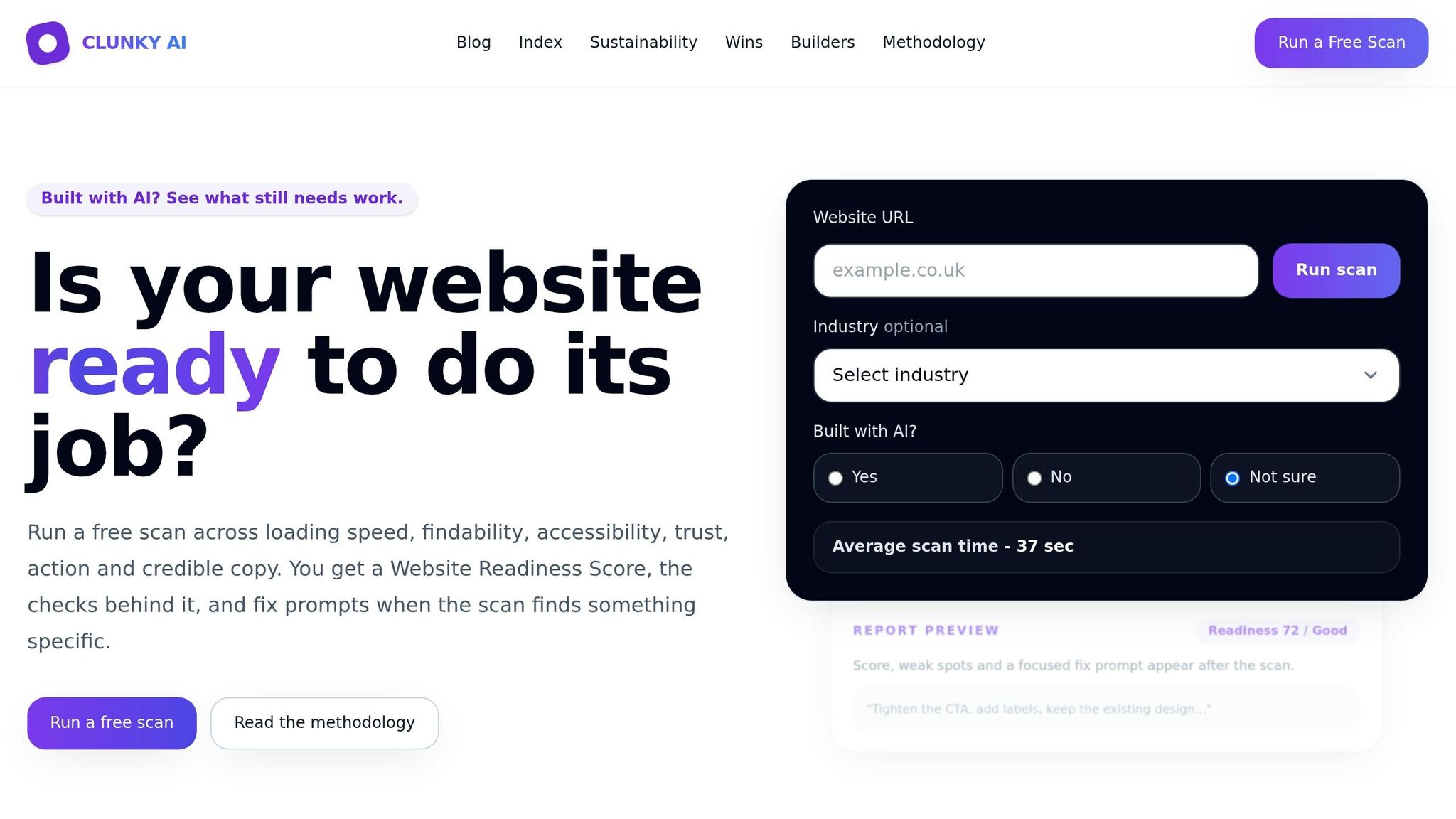
CLUNKY.ai's dCLUNK™ scanner audits a URL and ranks performance, UX, accessibility, and compliance issues. It shows metrics like LCP, INP, CLS, and TTFB alongside action-focused recommendations ranked by priority, which makes it easier to zero in on the fixes most likely to move the needle. Every scan is free, so teams can run a baseline before optimization and then scan again after changes to check progress. For small teams, that turns a messy performance problem into a clear list of next steps.
How to Pass Google Core Web Vitals and Boost Conversions
Conclusion: Treat Web Vitals as a Business Metric, Not Just a Technical Score
Core Web Vitals aren't just tech benchmarks. They're revenue signals.
They track real moments in the buying journey: whether a product image loads fast enough to keep someone on the page, whether a button responds fast enough to feel reliable, and whether the layout stays still enough to prevent a bad click. When those moments break, sales often disappear without much warning.
The research points to the same takeaway again and again: when companies improve LCP, CLS, and responsiveness, they often see gains in conversion rates, revenue per visitor, and sales.
The lesson here is pretty direct: treat Web Vitals like you treat conversion metrics. Review them on a regular basis, work on them with intent, and connect them to actual dollars so issues get fixed before they snowball. A new script, a design tweak, or a third-party widget can quietly drag down LCP, INP, and CLS - and hurt conversions at the same time.
Key Takeaways for Small Business Websites
If you run a small business site, start with the pages closest to the sale: product pages, lead forms, and checkout. Even modest gains on those pages can affect revenue. Slow response times and shifting layouts add friction, and that friction tends to hit hardest when a visitor is almost ready to buy.
Check Web Vitals alongside your conversion metrics each month. Use CLUNKY.ai's dCLUNK™ scanner to audit key pages, sort fixes by impact, and then check the results again.
FAQs
Which Core Web Vital affects conversions most?
Largest Contentful Paint (LCP) often has the biggest effect because it reflects load time, and load time has a direct link to conversions.
The reason is pretty simple: when a page feels slow, people drift. Research shows that improving load time by just 0.1 seconds can lift conversions by 8.4%. And since users may lose focus after 0.3 to 3 seconds, even small delays can chip away at revenue fast.
How do I know which pages to optimize first?
Use data to guide your next move instead of relying on hunches. Start by measuring how your site performs now and look for friction points with CLUNKY.ai’s dCLUNK™ tool. It gives you a prioritized report on performance, accessibility, and compliance issues.
Then put your attention on the pages that affect users most. That usually means pages with high bounce rates, pages where core functions are blocked, or pages with call-to-action buttons that aren’t driving the conversions they should.
How long does it take to see conversion gains?
Conversion gains can show up almost right away after you improve site speed. Research shows that cutting load time by just 0.1 seconds can boost conversions by 8.4%.
That kind of jump makes sense. People tend to lose focus fast, often after waiting just 0.3 to 3 seconds. So when a site feels slow, visitors leave. When it feels smooth, more of them stick around and convert.
AI-built site angle
Accessibility on AI-built sites: the 5 axe-core violations we see most
If you are building with Lovable, v0 or Bolt, start with the accessibility failures AI-generated components most often miss.
Read the deep diveHow this was checked
Clunky AI separates sourced facts, measured scan evidence and editorial judgement. We do not sell rankings or let rated companies pay to alter coverage.
Read the editorial policyExplore the six basics
Every Clunky AI article maps back to one or more of the questions a business site has to answer.
Related Posts
Tags AccessibilityPerformanceUser Experience
Category Website Optimization